Wednesday, 15 October 2014
 08:08
08:08
 Viraltoptrends

Monday, 10 June 2013
All the leaks are Wrong
'All The Leaks Are Wrong', iOS 7 Will Be 'Polarizing'
In episode 43 of The Talk Show, Daring Fireball's John Gruber reveals that he's heard from sources who say iOS 7 will be 'polarizing' and that 'all the leaks are wrong'.
As most of you know, iOS 7 is expected to move towards a flat design that has been described as 'black, white, and flat all over' by recent rumors.
Here's what Gruber had to say:
-----
Gruber: I know absolutely, almost absolutely, nothing. I don't think I've been this ignorant of what's coming software-wise for a keynote since the iPhone one back in 2007. Which is great. I'm super excited about it.
...
Gruber: The one thing I keep hearing over and over again from friends who would know. The one word I keep hearing is that some of the stuff they're gonna show is "polarizing".
Moltz: 'Flat'
Gruber: No polarizing.
Gruber: I also heard from somebody that just "all the leaks are wrong". Which is interesting. I have no idea what to make of it.
-----
You can listen to the podcast at the link below. The iOS talk starts at the nineteen minute mark.
Apple will unveil iOS 7 at WWDC 2013 on Monday, June 10th.
In episode 43 of The Talk Show, Daring Fireball's John Gruber reveals that he's heard from sources who say iOS 7 will be 'polarizing' and that 'all the leaks are wrong'.
As most of you know, iOS 7 is expected to move towards a flat design that has been described as 'black, white, and flat all over' by recent rumors.
Here's what Gruber had to say:
-----
Gruber: I know absolutely, almost absolutely, nothing. I don't think I've been this ignorant of what's coming software-wise for a keynote since the iPhone one back in 2007. Which is great. I'm super excited about it.
...
Gruber: The one thing I keep hearing over and over again from friends who would know. The one word I keep hearing is that some of the stuff they're gonna show is "polarizing".
Moltz: 'Flat'
Gruber: No polarizing.
Gruber: I also heard from somebody that just "all the leaks are wrong". Which is interesting. I have no idea what to make of it.
-----
You can listen to the podcast at the link below. The iOS talk starts at the nineteen minute mark.
Apple will unveil iOS 7 at WWDC 2013 on Monday, June 10th.
Sunday, 9 June 2013
Sony still has a lot to prove at E3 2013
Despite Microsoft's messaging missteps of late, E3 won't be an easy win for Sony. Here's what it needs to communicate next week.

Heading into E3, Sony has more to prove with the PlayStation 4 (PS4) than its console-making competition. Microsoft has already shown that, in its quest to take over your living room, the Xbox One will offer more than just upgraded graphics and a new controller. And for good or ill (ill, for now), Microsoft's used games and always-on plans are on the table and it can now mostly concentrate on wowing the public with games. Assuming it has public-wowable games, of course.
Nintendo is actually in that weirdly advantageous underdog position where anything you do that's seen as even remotely cool is going to cull excitement, or at the very least, compassion -- hopefully.
Sony, on the other hand, has yet to show what the system looks like and has not announced how it will deal with used games. Furthermore, it's yet to excite the mainstream nongaming public with any cool nongaming features. And, to be honest, Sony hasn't really shown many compelling games that won't also be available on the Xbox One.

However, there's an inherent advantage in entering the fray as a largely unknown quantity. With its main opponent's hand largely revealed, Sony has a huge opportunity to use Microsoft's announcements against it and its own silence to its advantage. Here's how I expect it'll do that.
Showcase the PS4's superior power
By most accounts, the PS4 has at least 33 percent more internal graphical horsepower than the Xbox One, thanks to higher-bandwidth RAM and a faster GPU.
Expect to see this native superiority endlessly touted at Sony's press conference and exemplified in its first-party game demos. Sony will want to demonstrate that the PS4 is capable of doing things with images the Xbox One can only dream of.
I'd actually like to see Sony make evident that this higher level of graphical fidelity can actually benefit storytelling, creating more immersive experiences. That's something Metal Gear Solid creator Hideo Kojima has been chasing for years and has maybe finally found.

The PS4 may be the best reason to buy a Vita
I don't currently own a Vita and had no plans on buying one, until the rumor that all PS4 games can be streamed directly to a Vita surfaced. Now that is appealing.
Especially for single-TV households like my own. If I'm in the middle of a particularly exciting Destiny match. but my wife wants to watch Netflix on our PS4, I can forgo doing something actually productive (that could result in an additional TV or possibly a larger house) and instead continue playing Destiny on my Vita.
Heading into E3, Sony has more to prove with the PlayStation 4 (PS4) than its console-making competition. Microsoft has already shown that, in its quest to take over your living room, the Xbox One will offer more than just upgraded graphics and a new controller. And for good or ill (ill, for now), Microsoft's used games and always-on plans are on the table and it can now mostly concentrate on wowing the public with games. Assuming it has public-wowable games, of course.
Nintendo is actually in that weirdly advantageous underdog position where anything you do that's seen as even remotely cool is going to cull excitement, or at the very least, compassion -- hopefully.
Sony, on the other hand, has yet to show what the system looks like and has not announced how it will deal with used games. Furthermore, it's yet to excite the mainstream nongaming public with any cool nongaming features. And, to be honest, Sony hasn't really shown many compelling games that won't also be available on the Xbox One.
However, there's an inherent advantage in entering the fray as a largely unknown quantity. With its main opponent's hand largely revealed, Sony has a huge opportunity to use Microsoft's announcements against it and its own silence to its advantage. Here's how I expect it'll do that.
Showcase the PS4's superior power
By most accounts, the PS4 has at least 33 percent more internal graphical horsepower than the Xbox One, thanks to higher-bandwidth RAM and a faster GPU.
Expect to see this native superiority endlessly touted at Sony's press conference and exemplified in its first-party game demos. Sony will want to demonstrate that the PS4 is capable of doing things with images the Xbox One can only dream of.
I'd actually like to see Sony make evident that this higher level of graphical fidelity can actually benefit storytelling, creating more immersive experiences. That's something Metal Gear Solid creator Hideo Kojima has been chasing for years and has maybe finally found.
The PS4 may be the best reason to buy a Vita
I don't currently own a Vita and had no plans on buying one, until the rumor that all PS4 games can be streamed directly to a Vita surfaced. Now that is appealing.
Especially for single-TV households like my own. If I'm in the middle of a particularly exciting Destiny match. but my wife wants to watch Netflix on our PS4, I can forgo doing something actually productive (that could result in an additional TV or possibly a larger house) and instead continue playing Destiny on my Vita.
Saturday, 8 June 2013
Eight changes I want to see in iOS 7

A fancy new interface is not enough
The Home Screen hasn't changed much since the first iPhone in 2007, so it's definitely a good idea to refresh the look overall. I think it's starting to get a little boring, and from what I've read around the tech sites and in my comment threads, I'm not alone.
Beyond the flattening of buttons and modernizing the look, iOS 7 needs to give users some flexibility. I think there should also be customization options or themes you can switch in and out at will. Imagine being able to pick your color scheme so your iPhone screen looks different from your friends' screens. Sure, strictly aesthetic changes are superficial, but even without my themes idea, a new look would go a long way.
Still, if the new redesign is the only big news for iOS at WWDC, I think a lot of people are going to be disappointed, myself included.
Probably the biggest rumors are about a newly redesigned look with flattened buttons and interface elements, and a move away from the skeuomorphic design aesthetic (think of the "leather-bound" Find My Friends app) of the core Apple apps. But with Android and Windows Phone 8 continuing to bring new OS innovations to the latest devices, a redesign alone won't be enough to keep Apple in the game.
A new top tools screen
One of the most annoying things about iOS is digging through settings menus to do common tasks. Things like adjusting the brightness, toggling Bluetooth, and managing Wi-Fi connections require far too many taps. I think it needs an interface button (or slide-out menu) that brings these tools front and center. Not only that, but this new "top tools" screen needs to be customizable so you can add and remove the settings you use most. Some Android phones (depending on manufacturer) already have similar features, and all you need to do is swipe downward to get a bunch of quick tools for easy access. Apple desperately needs to make something similar for iPhones.
AirDrop and/or local sharing
We've all seen the Samsung TV commercials where Galaxy users tap their phones together to share a photo while iPhone users in line at an Apple store jealously look on. It may not be as big of a deal as the commercials make it out to be, but it would certainly be useful to have a quick local sharing button in iOS 7.
I envision a screen that shows you iPhone users nearby and a confirm button to add them to your sharing buddy list (both parties would need to accept, but only once). Once on your buddy list, you could quickly hit a button to share something immediately with a friend who is in your vicinity. We already have AirDrop in Mac OS X Lion that has a similar feel, but I think we need this functionality on iOS. And rumors point to this coming in iOS 7.
The other thing Apple Maps needs to address is street view. Google clearly dominates in this area and it's kind of the best show in town for street level (and in-store) exploration. Is it possible for Apple and Google to come together just to license Street View? I won't hold my breath, but Flyover views simply aren't cutting it, and multiple-step third-party apps like Streets are only passable alternatives when you have a separate Google Maps app already.
We need widgets
One of the most common complaints about the iPhone I hear from Android users is the lack of widgets in iOS. At first I was skeptical, but later realized widgets could be extremely useful if the feature is done right. I'm envisioning a left or right swipe from the (hopefully redesigned) notifications pull-down menu where you could pick from several useful widgets and put them in any order you want. From there you would just swipe down, then to the left to check sports scores or maybe you could quickly control your music as examples. These little apps would be bare bones as far as functionality, but would just give you the pertinent info you need at a glance. I'm no UI design expert, obviously, but if Apple can find a way to work in some useful widgets to give me easy access to important info, that would be great.
Custom lock screen
The iOS lock screen has been mostly the same since the iPhone was released. As it is, you can only check the time and date or open the camera without unlocking your iPhone. But it would be really cool if I could add any number of info modules that I wanted right on the lock screen. I recognize this is a little like the widgets section above, but if I could pick and choose things like weather, latest e-mail, and other useful information that only required me to wake up my iPhone without unlocking, that would be extremely convenient. I would hope Apple could use some of its legendary design sense to make it look elegant without being too busy, but I think a lot of people would be interested in getting more from a quick glance at the lock screen.
Can iOS 7 keep people excited?
It's going to be hard for Apple to get people excited about iPhone hardware in 2013 mostly because we are in an "S" year. In other words, Apple is due to release the iPhone 5S sometime this fall rather than the bigger upgrade to the iPhone 6 next year. So what iOS users like me (with a year left on contract) are left hoping for are big changes to the operating system that runs our hardware. With iOS 7, A redesigned interface is definitely a start, but it's clearly going to take a bit more to keep people excited about the iPhone when the competitors continue to improve and come out with new innovative features.
No matter what happens on Monday morning, I'll be there at the WWDC 2013 keynote ready to bring you the news of iOS 7 and see if it has enough new features to get Apple firmly back into the smartphone game.
LG Optimus G Pro (unlocked)

Debuting at Mobile World Congress, the LG Optimus G Pro is a 5.5-inch device that will launch in Korea this month, followed by a North American release in Q2. The handset is actually LG's third crack at the phone/tablet hybrid niche, after its Optimus Vu and Vu II (the U.S. carrier, Verizon, released the former as the LG Intuition, which received a lukewarm response).
But this phone is more than just another attempt; it shows how the third time can indeed be a charm. Not only does it boast powerful quad-core specs, it also features the more common 16:9 aspect ratio (as opposed to the wonky 4:3 ratio its predecessor had) on a vivid touch screen. In both looks and performance, it's the closest any handset comes to rivaling the reigning king of phablets, the Galaxy Note 2.
Unfortunately, the G Pro lacks a stylus. Even the Vu had one, and Samsung developed its S Pen stylus specifically for the Note, which tucks into the handset and has its own tech to enhance productivity. The G Pro doesn't even have a simple analog stylus, and while this doesn't render the phone completely useless, it prevents the G Pro from usurping the Note 2 altogether.
Design
One of the first things I noticed about the LG Optimus G Pro was how thin it was. Though this keeps it lightweight for its size (at 6.2 ounces) and sleek, the slim 0.25-inch profile also made it feel too fragile and slightly cumbersome to navigate with one hand.
There were a lot of times when I used my thumb to tap something on one side of the screen only to have the bottom part of my thumb accidentally select and open something on the opposite side. To help with one-handed operation, LG did include some additional settings, like letting you adjust the keyboard or number pad to the left or right side.
Of course , what's most noticeable about the G pro is that 5.5-inch full HD IPS screen. it has a 1920x1,080- pixel resolution and 400ppi. It sports a 16:9 aspect ratio which is more standard on mobile phones than the Intuition "s 4:3 ratio..
Like most high-end LG handsets, its screen is bright and extremely responsive. I like how the display edges are similar to the Nexus 4's, in that it contours down toward the bezel. It has a wide viewing angle, and you can see images clearly in both indoor and outdoor lighting. Colors are vibrant, icons are sharp, and text looks crisp.
I also have to say that watching videos on this was really enjoyable, more so than on the Intuition. Having that much more real estate is a relief to the eyes, and it gave me a more encompassing and engrossing experience than those offered on smaller handsets.
I did see, however, that the whites on the screen had a slightly cold, blue-grayish tint to them. It's too subtle to notice at first, but when I compared it side by side with an iPhone, the tint was more apparent.
In addition, though the screen size is great for entertainment, other things had to take some getting used to. For example, texting became much more cumbersome, especially in landscape mode. Taking into account that I have small hands, it was hard reaching letters that were in the middle of the keyboard. Also, the unit doesn't ship with a stylus, which would be beneficial for tasks such as these.
Above the display is a 2-megapixel camera and below it are two hot keys that light up when in use (back and menu), and a physical home button. This home key is a flush, narrow oval that can also light up with several different LED colors that I found to be a nice deliberate touch.
The back of the device houses a 13-megapixel camera with flash. A small strip of chrome encircles the lens, which bubbles up ever so slightly out of the back plate. To the left is a small audio speaker. Using a small indentation on the left edge, you can pop off the backing and access the 3,140mAh battery and both the Micro-SIM and microSD card slots. Underneath the plate is an NFC chip. Lastly, the handset is capable of wireless charging, but you'll need to buy a special back plate from LG to make use of it.
Software features and UI
The phone includes 2GB of RAM and runs on Android 4.1.2 Jelly Bean. You'll find a bunch of standard Google apps like Messenger, Maps with Navigation, Local, Voice Search, Talk, Chrome, Gmail, Search, Plus, YouTube, and access to Play Movies and TV, Books, and Store. Because it's running Jelly Bean, you'll also get Google Now, which is search-based digital "assistant" tied into Google Search and Voice Search. To access Google Now, hold down the home key and press the Google logo that pops up at the bottom of the screen.
Other task management apps include a native browser and e-mail client, music and video players, a calculator, a weather app, two video editors, a notebook, a memo pad, a to-do list, an alarm clock, a voice recorder, a dictionary, and a calendar. There's also the mobile office suite, Polaris Office 4, LG's app and game portal called SmartWorld, and SmartShare, which lets you share multimedia between DLNA-certified devices.

Because we got our hands on a Korean handset, there's also a slew of Korean apps. I won't go over these, but if and when the G Pro comes to a U.S. carrier, you can bet that the handset will include carrier specific apps that I'll note.
You'll also get the note-taking feature, QuickMemo, which lets you jot down notes and doodles either directly onto whatever your screen is displaying at the moment, or a memo pad. This is one productivity app for which a stylus would be especially handy. There's also QSlide, LG's multitasking window that was introduced with the last Optimus G. Back then, QSlide only let you overlay a video while you browsed through your phone and accessed other apps. Now however, you can view other apps, like the browser, simultaneously, and you can resize your QSlide window, too.
Camera and video
The 13-megapixel camera comes with loads of options, such as: four photo sizes (from 1,280x960 to 4,160x3,120 pixels); a 15x digital zoom; a flash; geotagging; a timer; four color effects; five white balances; five ISO options (from 100 to 800); six scene modes; three focuses; a brightness meter; a voice-activated shutter; and a time-machine option that enables the camera to take shots even before you press the shutter.
There are also six shooting modes, including HDR, beauty shot, panorama, and VR panorama. The last one is similar to the Nexus 4's "Photo Sphere" feature, which patches together several pictures from one viewing angle. However, instead of rendering it into a 360-degree spherical image like the Nexus does, a VR panorama photo ends up resembling what a 360-degree photo would look like if someone laid it out flat. Meaning, it looks like several long panoramic photos stitched together to make one wavy, wonky super-panoramic photo.
The front-facing 2.1-megapixel camera includes three photo sizes (from 1,280x960 to 1,920x1,088); two scene modes; and the same white balances and color effects. You'll also get geo-tagging, a timer, the option to save a picture's mirror image, voice shutter, and beauty shot.
Video recording options with the rear camera include five video sizes (from 176x144 to 1,920x1,080 pixels); antishaking; a brightness meter; the same white balances and color effects; and geotagging. There are four shooting modes, one of which is dual recording. This lets you record with both cameras simultaneously. The front-facing camera has all of the same video options except for the ability to record video at different exposure levels called WDR recording (think of it like HDR photos, but for video).
Photo quality was excellent, but it didn't blow me away. Shutter speed was fast, there was little to no lag between my moving of the camera and the feedback I saw, and taking panoramic shots was quick and smooth. With ample lighting, photos came out crisp and sharp, and objects were in focus. There were some incidents when auto white balance was off and colors came out inaccurate, however. For instance, a car that was a deep orange in real life came out distinctly red from the camera. Understandably, photos taken in dimmer lighting showed a lot more digital noise and blurriness. Colors also appeared more muted or colder than in real life. For the most part, however, photos were impressively detailed. For more photos from the G Pro, check out the slideshow below.
It's important to remember that while the G Pro is 4G LTE-capable, I had to test this unit on AT&T's 3G network. However, data speeds were still respectable, at times being much faster than midtier 4G phones. On average, the handset loaded CNET's mobile site in 12 seconds and our desktop site in 24 seconds. The New York Times' mobile site took about 33 seconds, while its desktop version took 51 seconds. ESPN's mobile site took 11 seconds, and its full site loaded in 52 seconds. Ookla's Speedtest app showed me an average of 2.71Mbps down and 1.0Mbps up. It took an average of 2 minutes and 51 seconds to download the 32.41MB game Temple Run 2.
LG Optimus G Pro Performance testing
Average 3G download speed 2.71Mpbs
Average 3G upload speed 1.0Mbps
App download (Temple Run 2) 32.41MB in 2 minutes and 51 seconds
mobile site load 12 seconds
desktop site load 24 seconds
Restart time 37 seconds
Camera boot time 1.78 seconds
The device is powered by a 1.7GHz quad-core CPU, and it's one of the first to run a Snapdragon 600 processor. I can attest that it's incredibly fast -- small tasks like quitting to the home screen, browsing through the app drawer, pinch zooming, and scrolling through text were all executed without hesitation. And more complicated tasks were done just as smoothly. On average, it took just 1.78 seconds to launch the camera and 37 seconds to restart the phone altogether. During my time playing the graphics-intensive game Riptide GP, there was no stuttering or unexpected shutdowns with the app. Graphics ran swiftly, with a high frame rate, and the phone was responsive to my slight movements.
During our battery drain test for the 3,140mAh battery, the handset lasted 7.15 hours for video playback and a whopping 22.37 hours for talk-time. Needless to say that anecdotally, it had a solid battery life. Standby time lasted for a couple of days, and the phone can survive a whole day, or at least a good portion of it, with high use.
Conclusion
Although the Optimus G Pro is a blatant manifestation of LG knocking on Samsung's Note door, the handset is still an excellent standalone device. Its 1.7GHz quad-core CPU keeps it running smoothly and swiftly, and the 1080p screen is nothing short of impressive.
But while I'm a fan of the handset, I remain cautious of its potential if and when it comes to the U.S. What's the point of giving consumers a great 5.5-inch display if you also don't give them a stylus as well? LG provided one with its Optimus Vu, so it makes it that much more odd that the Optimus G Pro doesn't get similar treatment.
True, lacking a stylus isn't a deal breaker. Not everybody uses one, and the phone doesn't come packed with a bunch of productivity apps that take full advantage of a stylus, save for QuickMemo. But considering the fact that its obvious rival, the Note 2, has one, I find it difficult to imagine a user choosing the Pro in lieu of the Note 2 given this notable oversight..
Design
One of the first things I noticed about the LG Optimus G Pro was how thin it was. Though this keeps it lightweight for its size (at 6.2 ounces) and sleek, the slim 0.25-inch profile also made it feel too fragile and slightly cumbersome to navigate with one hand.
There were a lot of times when I used my thumb to tap something on one side of the screen only to have the bottom part of my thumb accidentally select and open something on the opposite side. To help with one-handed operation, LG did include some additional settings, like letting you adjust the keyboard or number pad to the left or right side.
Of course , what's most noticeable about the G pro is that 5.5-inch full HD IPS screen. it has a 1920x1,080- pixel resolution and 400ppi. It sports a 16:9 aspect ratio which is more standard on mobile phones than the Intuition "s 4:3 ratio..
Like most high-end LG handsets, its screen is bright and extremely responsive. I like how the display edges are similar to the Nexus 4's, in that it contours down toward the bezel. It has a wide viewing angle, and you can see images clearly in both indoor and outdoor lighting. Colors are vibrant, icons are sharp, and text looks crisp.
I also have to say that watching videos on this was really enjoyable, more so than on the Intuition. Having that much more real estate is a relief to the eyes, and it gave me a more encompassing and engrossing experience than those offered on smaller handsets.
I did see, however, that the whites on the screen had a slightly cold, blue-grayish tint to them. It's too subtle to notice at first, but when I compared it side by side with an iPhone, the tint was more apparent.
In addition, though the screen size is great for entertainment, other things had to take some getting used to. For example, texting became much more cumbersome, especially in landscape mode. Taking into account that I have small hands, it was hard reaching letters that were in the middle of the keyboard. Also, the unit doesn't ship with a stylus, which would be beneficial for tasks such as these.
Above the display is a 2-megapixel camera and below it are two hot keys that light up when in use (back and menu), and a physical home button. This home key is a flush, narrow oval that can also light up with several different LED colors that I found to be a nice deliberate touch.
The back of the device houses a 13-megapixel camera with flash. A small strip of chrome encircles the lens, which bubbles up ever so slightly out of the back plate. To the left is a small audio speaker. Using a small indentation on the left edge, you can pop off the backing and access the 3,140mAh battery and both the Micro-SIM and microSD card slots. Underneath the plate is an NFC chip. Lastly, the handset is capable of wireless charging, but you'll need to buy a special back plate from LG to make use of it.
Software features and UI
The phone includes 2GB of RAM and runs on Android 4.1.2 Jelly Bean. You'll find a bunch of standard Google apps like Messenger, Maps with Navigation, Local, Voice Search, Talk, Chrome, Gmail, Search, Plus, YouTube, and access to Play Movies and TV, Books, and Store. Because it's running Jelly Bean, you'll also get Google Now, which is search-based digital "assistant" tied into Google Search and Voice Search. To access Google Now, hold down the home key and press the Google logo that pops up at the bottom of the screen.
Other task management apps include a native browser and e-mail client, music and video players, a calculator, a weather app, two video editors, a notebook, a memo pad, a to-do list, an alarm clock, a voice recorder, a dictionary, and a calendar. There's also the mobile office suite, Polaris Office 4, LG's app and game portal called SmartWorld, and SmartShare, which lets you share multimedia between DLNA-certified devices.

Because we got our hands on a Korean handset, there's also a slew of Korean apps. I won't go over these, but if and when the G Pro comes to a U.S. carrier, you can bet that the handset will include carrier specific apps that I'll note.
You'll also get the note-taking feature, QuickMemo, which lets you jot down notes and doodles either directly onto whatever your screen is displaying at the moment, or a memo pad. This is one productivity app for which a stylus would be especially handy. There's also QSlide, LG's multitasking window that was introduced with the last Optimus G. Back then, QSlide only let you overlay a video while you browsed through your phone and accessed other apps. Now however, you can view other apps, like the browser, simultaneously, and you can resize your QSlide window, too.
Camera and video
The 13-megapixel camera comes with loads of options, such as: four photo sizes (from 1,280x960 to 4,160x3,120 pixels); a 15x digital zoom; a flash; geotagging; a timer; four color effects; five white balances; five ISO options (from 100 to 800); six scene modes; three focuses; a brightness meter; a voice-activated shutter; and a time-machine option that enables the camera to take shots even before you press the shutter.
There are also six shooting modes, including HDR, beauty shot, panorama, and VR panorama. The last one is similar to the Nexus 4's "Photo Sphere" feature, which patches together several pictures from one viewing angle. However, instead of rendering it into a 360-degree spherical image like the Nexus does, a VR panorama photo ends up resembling what a 360-degree photo would look like if someone laid it out flat. Meaning, it looks like several long panoramic photos stitched together to make one wavy, wonky super-panoramic photo.
The front-facing 2.1-megapixel camera includes three photo sizes (from 1,280x960 to 1,920x1,088); two scene modes; and the same white balances and color effects. You'll also get geo-tagging, a timer, the option to save a picture's mirror image, voice shutter, and beauty shot.
Video recording options with the rear camera include five video sizes (from 176x144 to 1,920x1,080 pixels); antishaking; a brightness meter; the same white balances and color effects; and geotagging. There are four shooting modes, one of which is dual recording. This lets you record with both cameras simultaneously. The front-facing camera has all of the same video options except for the ability to record video at different exposure levels called WDR recording (think of it like HDR photos, but for video).
Photo quality was excellent, but it didn't blow me away. Shutter speed was fast, there was little to no lag between my moving of the camera and the feedback I saw, and taking panoramic shots was quick and smooth. With ample lighting, photos came out crisp and sharp, and objects were in focus. There were some incidents when auto white balance was off and colors came out inaccurate, however. For instance, a car that was a deep orange in real life came out distinctly red from the camera. Understandably, photos taken in dimmer lighting showed a lot more digital noise and blurriness. Colors also appeared more muted or colder than in real life. For the most part, however, photos were impressively detailed. For more photos from the G Pro, check out the slideshow below.
It's important to remember that while the G Pro is 4G LTE-capable, I had to test this unit on AT&T's 3G network. However, data speeds were still respectable, at times being much faster than midtier 4G phones. On average, the handset loaded CNET's mobile site in 12 seconds and our desktop site in 24 seconds. The New York Times' mobile site took about 33 seconds, while its desktop version took 51 seconds. ESPN's mobile site took 11 seconds, and its full site loaded in 52 seconds. Ookla's Speedtest app showed me an average of 2.71Mbps down and 1.0Mbps up. It took an average of 2 minutes and 51 seconds to download the 32.41MB game Temple Run 2.
LG Optimus G Pro Performance testing
Average 3G download speed 2.71Mpbs
Average 3G upload speed 1.0Mbps
App download (Temple Run 2) 32.41MB in 2 minutes and 51 seconds
mobile site load 12 seconds
desktop site load 24 seconds
Restart time 37 seconds
Camera boot time 1.78 seconds
The device is powered by a 1.7GHz quad-core CPU, and it's one of the first to run a Snapdragon 600 processor. I can attest that it's incredibly fast -- small tasks like quitting to the home screen, browsing through the app drawer, pinch zooming, and scrolling through text were all executed without hesitation. And more complicated tasks were done just as smoothly. On average, it took just 1.78 seconds to launch the camera and 37 seconds to restart the phone altogether. During my time playing the graphics-intensive game Riptide GP, there was no stuttering or unexpected shutdowns with the app. Graphics ran swiftly, with a high frame rate, and the phone was responsive to my slight movements.
During our battery drain test for the 3,140mAh battery, the handset lasted 7.15 hours for video playback and a whopping 22.37 hours for talk-time. Needless to say that anecdotally, it had a solid battery life. Standby time lasted for a couple of days, and the phone can survive a whole day, or at least a good portion of it, with high use.
Conclusion
Although the Optimus G Pro is a blatant manifestation of LG knocking on Samsung's Note door, the handset is still an excellent standalone device. Its 1.7GHz quad-core CPU keeps it running smoothly and swiftly, and the 1080p screen is nothing short of impressive.
But while I'm a fan of the handset, I remain cautious of its potential if and when it comes to the U.S. What's the point of giving consumers a great 5.5-inch display if you also don't give them a stylus as well? LG provided one with its Optimus Vu, so it makes it that much more odd that the Optimus G Pro doesn't get similar treatment.
True, lacking a stylus isn't a deal breaker. Not everybody uses one, and the phone doesn't come packed with a bunch of productivity apps that take full advantage of a stylus, save for QuickMemo. But considering the fact that its obvious rival, the Note 2, has one, I find it difficult to imagine a user choosing the Pro in lieu of the Note 2 given this notable oversight..
Friday, 7 June 2013
Apple's WWDC 2013: Rumors and expectations
 |
Apple's 24th annual developers conference kicks off next week, and will be the company's first event in more than seven months.
The conference lasts the entire week, but the highlight is Monday's keynote address, where Apple typically announces new products and services. This year, Apple has only said it will give developers new versions of iOS and OS X software, though there's likely to be a surprise or two.
Expectations are high, in no small part because it's been so long since Apple has released anything new. Its last big product launch was the iPad Mini in October, and the months since then have contained little besides tweaks to some existing products. The company has also attempted to temper expectations in the lead up to WWDC, saying there are "amazing" things, but that they were coming in the fall, and throughout next year.
But that doesn't mean there aren't a few things to look forward to at next week's conference. We've rounded up some of the top rumors going into the show, as well as our own expectations.
New software
Apple has already said it will be showing off new versions of iOS and OS X, though the software will almost certainly be only for developers to test before either is released to the public. In the past there has been a several months-long delay between when developers first get new software, and when it's released to the public.
iOS 7 is expected as a follow-up to iOS 6, which first debuted at last year's WWDC. There's been much rumbling about a complete visual overhaul led by Apple's top designer Jony Ive, a detail that was confirmed by CEO Tim Cook in an interview last week. Impressively, few details of new features and functionality have leaked out ahead of Apple's reveal. Here are some of the big ones.
New interface -- A report from 9to5Mac in April, as well as the New York Times in October suggested Apple was changing the design to do away with many longstanding visual features of iOS. 9to5Mac's report, in particular, suggested Apple would keep the functionality of iOS apps and features the same, but lose some of the digital facsimiles of real world objects in favor of simpler designs. A purportedly leaked shot of the new look cropped up earlier this week (pictured above).
More gestures -- Also from the 9to5Mac report, Apple was said to be looking into additional ways to access basic information with gestures, similar to what it currently uses with a one-finger swipe to bring up Notification Center, and a four-finger swipe on the iPad to pull up the multitasking menu.
More sharing tools - Once again from 9to5Mac is a report Apple plans to add its AirDrop file-sharing service, which is built into OS X, into iOS so that users can swap files with one another if they're on the same Wi-Fi network. The blog also adds that Apple intends to build in system-level integration to send media to Flickr and Vimeo.
More Yahoo -- An April report from The Wall Street Journal (subscription required) says Apple and Yahoo are working together to bring more of Yahoo's content and services to Apple's devices. That includes more content from Yahoo's sports and news sites.
OS X 10.9 is also expected to be unveiled at WWDC. This is Apple's operating system for Macs. This time last year, Apple had already taken the wraps off 10.8 as part of a developer preview, all so that it could release the software in the summer. As for what to expect this time around, the rumors have been very, very thin, with nearly every single major detail coming from a report from 9to5Mac in April .
Sunday, 5 May 2013
Camera megapixels: Why more isn't always better
A 16-megapixel smartphone camera sounds great, but an 8-megapixel shooter could still produce better pics.

In a matter of months, the high-end smartphone camera spec rocketed from a respectable 8 megapixels to an altitudinous 13.
The Samsung Galaxy S4 and LG Optimus G Pro are the freshest examples of this megapixel push, but even last January's Pantech Discover (12.6 megapixels), last October's LG Optimus G for Sprint (13 megapixels), and especially mid-2012's Nokia 808 PureView, a 41-megapixel stunner that's worth the hype for photography fans.
Yet even though the technology exists, quality can be just as uneven from phone to phone as it was when an 8-megapixel shooter was the "best" that money could buy.
Championing that perception head on is HTC, the same company that not too long ago boasted about the 16-megapixel camera in its Titan II. Now, in its HTC One flagship, the smartphone-maker dials down the megapixel count to 4 megapixels, which HTC fancifully terms "ultrapixels," arguing that the lager pixel size throws back the blinds to let in much more light.
In this lies the reminder (that photography nuts will tell you), that it's quite possible for an excellent 5-megapixel camera to produce photos you prefer over a shoddy 12-megapixel camera. The megapixel number alone is no guarantee of heightened photographic performance.
Instead, the formula for fantastic photos comes down to the entire camera module that includes the size and material of the main camera lens, the light sensor, the image processing hardware, and the software that ties it all together. So let's dive in.
Key ingredient No. 1: The sensor
Most budding and professional photographers will tell you that the most important ingredient in the optical system is the sensor, because that's the part that captures the light. The sensor is essentially the "film" material of a digital camera. No light, no photo.
Light enters through the camera lens, then passes to the camera sensor, which receives the information and translates it into an electronic signal. From there, the image processor creates the image and fine-tunes it to correct for a typical set of photographic flaws, like noise.
The size of the image sensor is extremely important. In general, the larger the sensor, the larger your pixels, and the larger the pixels, the more light you can collect. The more light you can catch, the better you image can be.

The experts I spoke with for this story had colorful ways of describing the relationship between pixels and sensors, but "buckets of water" or "wells" were a favorite (intentionally oversimplified) analogy.
Imagine you have buckets (pixels) laid out on a blacktop (sensor). You want to collect the most water in those buckets as possible. To extend the water-and-bucket analogy, the larger the sensor you have (blacktop), the larger the pixels (buckets) you can put onto it, and the more water (light) you can collect.
Larger sensors are the reason that 8 megapixels from a digital SLR camera (or 5 or 13) best those 8 megapixels from a smartphone camera. You get roughly the same number of pixels, but those pixels on the DSLR get to be larger, and therefore let in more light. More light (generally) equals less-noisy images and greater dynamic range.
The fallacy of megapixels
You can start to see that cramming more pixels onto a sensor may not be the best way to increase pixel resolution. That hasn't stopped the cell phone industry from doing just that.
Jon Erensen, a Gartner analyst who has covered camera sensors, remembers when we collectively made the leap from 1-megapixel to 2-megapixel sensors.
"They would make the pixel sizes smaller [to fit in more pixels]," Erensen told me over the phone, "but keep the image sensor the same."
"What ended up happening is that the light would go into the well [the "bucket"] and hit the photo-sensitive part of the image sensor, capturing the light. So if you make the wells smaller, the light has a harder time getting to the photo-sensitive part of the sensor. In the end, increased resolution wasn't worth very much. Noise increased."
The relationship between the number of pixels and the physical size of the sensor is why some 8-megapixel cameras can outperform some 12-, 13-, or even 16-megapixel smartphone cameras.
There's more involved, too. A slim smartphone limits the sensor size for one, and moving up the megapixel ladder without increasing the sensor size can degrade the photo quality by letting in less light than you could get with slightly fewer megapixels.
Then again, drastically shrunken pixel sizes aren't always the case when you increase your megapixels. HTC's Bjorn Kilburn, vice president of portfolio strategy, shared that the pixel size on the 16-megapixel Titan II measures 1.12 microns, whereas each of the HTC One X's 8 pixels measures a slightly larger 1.4 microns.
As a result, the photo quality on both these HTC smartphones should be comparable at a pixel-by-pixel level.

Unfortunately, most smartphone-makers don't share granular detail about their camera components and sensor size, so until we test them, the quality is largely up in the air. Even if smartphone makers did release the details, I'm not sure how scrutable those specs would be to the majority of smartphone shoppers.
What about Nokia's 41-megapixel PureView?
Nokia's story behind its 808 PureView smartphone is really interesting. CNET Senior Editor Josh Goldman has written one of the best explanations of the Nokia 808 Pureview's 41-megapixel camera that I've seen. I strongly suggest you read it.
In the meantime, here's a short summary of what's going on.
Juha Alakarhu (pronounce it YOO-hah), is head of camera technologies at Nokia, where he works within the Smart Devices team. Alakarhu explained to me that although Nokia has engineered the 808 to capture up to 41 megapixels, most users will view photos as the 5-megapixels default.
Usually, when you use the digital zoom on your phone, you're blowing up and cropping in on an image to see each pixel up close. You all know what that can look like: grainy, blocky, and not always as sharply focused or as colorful as you'd like.

In the 808 PureView, Nokia uses a process called "oversampling," which -- for the 808's 5-megapixel default resolution -- condenses the information captured in seven pixels into one (they call it a "superpixel.") If you zoom in on an object, you're simply seeing part of the image that's already there, rather than scaling up. This method should translate to higher-resolution digital print-outs and zoom-ins than you'd normally see.
It's taken over five years to create the technology within the 808 PureView, Nokia's Alakarhu said. Not only does the 808 lean on the physical size of the sensor (specifically 1/1.2-inch), there are also custom algorithms on top of the sensor to adjust the image to reduce imperfections like noise. It's this set of instructions is what Nokia terms PureView, not the sensor size alone.
As CNET's Goldman has pointed out, this is an unusually large sensor for a smartphone, and it's also larger than sensors found on the vast majority of point-and-shoot cameras.
Key ingredient No. 2: Image processing
In addition to the size and quality of the lens and sensor, there's also the image processor. Most modern high-end smartphone CPUs have dedicated graphics processors built into their chip, which, being hardware-accelerated and not just software-dependent, can quickly render images like photos, videos, and games without overtaxing the main application processor.
HTC and Samsung have been pushing continuous burst mode hard, averaging one shot in a tenth of a second or less, thanks to separate hardware-accelerated image processors that can capture shots like nobody's business. However, since burst mode doesn't give you time to focus, expect to see some blur
I promised that there was software bridging the hardware and the final image, and there is. Algorithms and other logic are what create the final image output on the phone's screen. This where the most subjective element of photography comes in -- how your eye interprets the quality of color, the photo's sharpness, and so on.
The image processor is also what helps achieve zero shutter lag, when the camera captures the photo when you press the capture button, not a beat or two after.
Wait, there's more
There's much more to know about the competing technology that goes into sensors, but backside-illuminated sensors are starting to be used much more in smartphones.
This type of sensor is often synonymous with better low-light performance because it increases photosensitivity. However, if you shoot in bright light, it can also blow out your image. Here are more details on how backside illumination works.
Low-light performance, by the way, is turning into a serious battleground for bragging rights. Nokia's Lumia 920 and Apple's iPhone 5 currently rule this shadowy realm, with HTC's One vastly outperforming the Samsung Galaxy S4, which has no automatic low-light adjustments to speak of (though there are several shooting modes.)
Backing out of the low light rabbit hole, it's important to note that the camera's sensor size and image processor may be the most crucial elements for creating quality smartphone photos, but other considerations come into play. Higher quality components, for example, can help tease out better photos, but they could also cost more, which could lead to a marginally pricier camera.
While the total cost of a camera module is only one part of the total cost, Gartner analyst Jon Erensen said that high-end parts could double the price of a basic camera set, and thought that parts could cost $15 per phone. The smartphone makers I contacted for this article, like Samsung and Nokia, wouldn't share sourcing or pricing information.
Usability is king
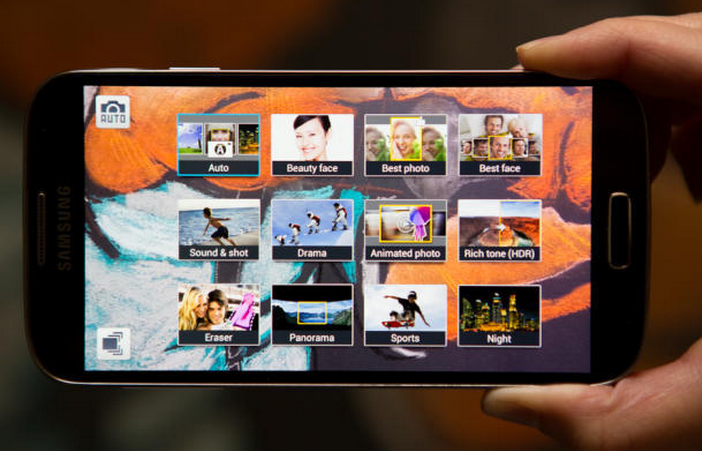
Gartner analyst Jon Erensen agrees. "What do you actually gain from going higher than you need, in a practical sense?," he said, adding that most people upload smartphone photos to online albums, or e-mail them to family and friends, formats that require many fewer than 8 megapixels, or even 5.
A trip to Indonesia illustrates what Nokia's Alakarhu and the others mean by the whole experience taking precedent over the specs. While trekking with 22 pounds of gear on his back -- including a high-quality DSLR -- Alakarhu repeatedly reached for the Nokia 808 PureView he kept in his pocket.
Although he considers himself an amateur photographer who will put in the time to frame a great shot, Alakarhu said he found himself using the PureView more because of its easy availability and quick start time when he didn't want to take the time to set up a more involved shot on his digital camera.
I have my share of similar stories, and I suspect that you do, too.
We definitely shouldn't scrap pixel count when weighing smartphone camera specs against others, but when it comes to all the hardware and software that create a great photo, the megapixel count alone just isn't enough. It's time we shift the focus somewhere else -- like maybe to that undersung sensor.